A general guide to phone care and repair. For hardware damage, have your phone checked by a trusted technician.
When a phone is dropped into water or splashed, the first reaction is often to press the power button to check whether it still works. However, turning it on and testing its functions is not a safe first step. When assessing a device for repair, a dry exterior is not enough to confirm that the connectors and components inside are free of liquid.
Put safety first and turn off the device
If the phone is still connected to a charger, do not touch the wet device, cable, or adapter while the power is connected. First, disconnect the electricity at a safe source. Do not approach an electrical outlet that is also flooded; ask someone who understands electrical safety for help.
Once it is safe to handle, turn the phone off normally if it is still on. If it is already off or the screen is dark, do not try to turn it on. Remove the protective case and any accessories that can be easily detached without tools, then wipe the surface with a soft, lint-free cloth. Do not open the phone’s housing or remove a built-in battery.
Place the device in a dry, well-ventilated area. Point the charging port downward so that any remaining liquid around the opening can drain naturally, without vigorous shaking. Avoid pressing buttons repeatedly or inserting anything into the USB port or other openings.
Avoid risky drying methods
Do not charge the device with a cable or wirelessly while you suspect it is still wet. Wireless charging is not a shortcut, as it still transfers energy and generates heat. Do not connect the phone to a computer to try to retrieve data before it is safe to do so.
Avoid hair dryers, ovens, irons, and direct exposure to intense sunlight. Excessive heat can damage the battery, screen, adhesives, and other components. Compressed air and forceful blowing can also push liquid farther inside.
Burying a phone in rice is not a reliable way to dry its interior. Dust or particles may instead enter the device’s openings. Do not use cotton, rolled-up tissues, or sharp objects to probe the ports. There is no single drying time that guarantees every phone is safe to turn on again.
Recognize the symptoms and identify the liquid
Symptoms after liquid exposure may include moisture warnings, interrupted charging, muffled speaker sound, a flickering screen, an unresponsive touchscreen, or condensation behind the camera glass. Some devices may initially appear normal and develop problems later because of corrosion. For this reason, do not deliberately run the camera, speakers, or demanding apps just to test them.
Seawater, pool water, sugary drinks, and soapy water require particular attention because they can leave salt or residue behind. A dry surface does not mean those deposits are gone. Do not add cleaning fluids or rinse the device indiscriminately; care instructions can vary depending on the device and its physical condition.
A water-resistance rating is also no guarantee that liquid cannot enter. Impacts, cracks, aging adhesives, and previous disassembly can affect its protection. A phone that once withstood splashes still needs to be handled carefully after another incident.
When to have a technician inspect it
Arrange an inspection promptly if the phone was submerged, exposed to salty or sticky liquids, shows condensation inside the camera, or develops functional problems. Do not wait until the device stops working entirely. Explain what type of liquid was involved, roughly when the incident happened, and whether the phone was turned on or charged afterward to help guide the inspection.
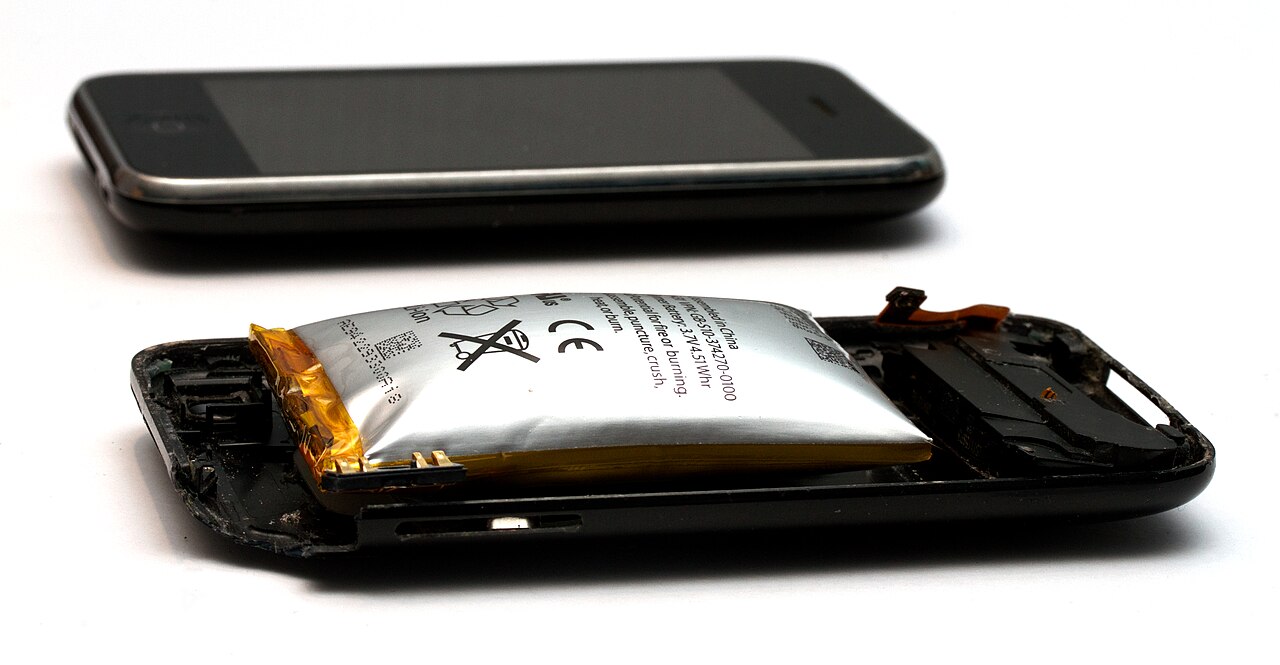
If the device is very hot, swollen, giving off a strong odor, hissing, or emitting smoke, stop using it and do not charge it. Do not press on it or try to move it if doing so is unsafe; keep your distance and seek emergency assistance if there is smoke or fire. Once the device has been deemed safe to use, prioritize backing up important data.