A general guide to phone care and repair. For hardware damage, have your phone checked by a trusted technician.
When a phone displays only its logo, owners often immediately assume the system is corrupted and needs to be reinstalled. However, a technician needs to distinguish between a phone that repeatedly restarts and one that is simply stuck at a particular stage of startup. What happened before the problem appeared provides important clues for deciding what to check next without unnecessarily putting data at risk.
Distinguish the symptoms and recall what happened beforehand
A bootloop is marked by a continuously repeating startup sequence: the logo appears, the screen goes dark, and then the logo appears again. By contrast, a phone stuck on the logo stays on the same screen without reaching the home screen. Both are symptoms, not definitive indicators of which component is faulty.
Note whether the problem appeared after a system update, an app installation, storage becoming nearly full, an impact, or exposure to liquid. Also note whether the phone previously shut down on its own or would only turn on when connected to a charger. This information helps a technician decide what to examine, but it is not enough to confirm the cause.
If the screen still shows update progress, let the process continue according to the device's instructions. Do not repeatedly force the phone to shut down while an update is underway. If the display does not change and the device becomes increasingly hot, stop making repeated attempts.
The cause is not always a system fault
An interrupted update, app problems, and very limited storage space can interfere with the startup process. On the hardware side, a power button that remains pressed, power supply issues, or damage to internal components can cause similar symptoms. Being stuck on the logo alone therefore does not prove that the battery or storage component needs replacing.
Start with a simple external inspection. Remove any protective case if it is pressing against a button, then check that the power button is not stuck. Do not pry at the button or spray liquid into the gap around it. If the button feels jammed or the problem appeared after a drop or liquid exposure, avoid attempts that force the device to keep turning on.
Safe steps you can try
If there are no signs of liquid exposure, battery swelling, or excessive heat, try charging the phone with a cable and adapter that meet the device's specifications. Make sure the connections are secure and the accessories are undamaged. Do not charge the phone on a mattress or cover it with fabric.
Next, try a force restart according to the official instructions for that device. Button combinations are not always the same on Android phones and iPhones, so avoid guessing or repeatedly pressing buttons without a clear purpose. If the device enters a recovery menu, do not select commands to erase data or install system software that you do not understand.
If the phone reaches the home screen, back up important data immediately before continuing your checks. After backing up, check the available storage space and delete files you genuinely no longer need. If the symptoms began after installing a particular app, uninstall it through the normal settings. Do not install apps that promise to fix bootloops automatically.
When to have a technician examine the phone
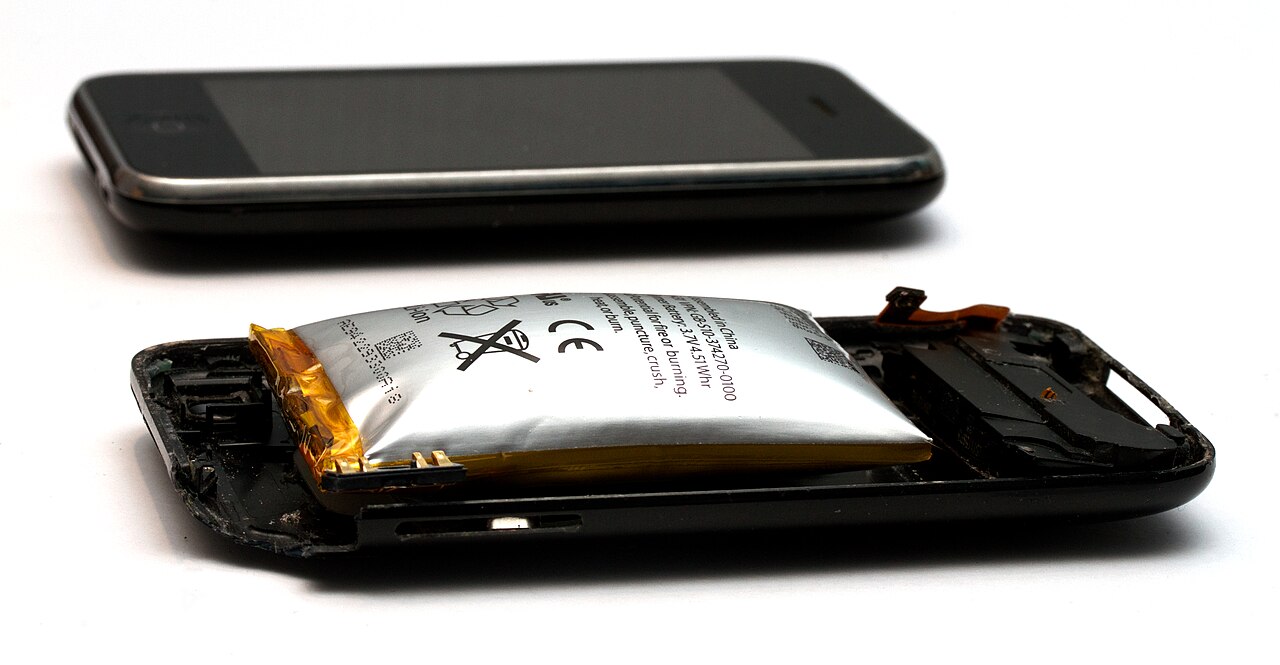
Take the phone to a technician if it keeps cycling through the logo after basic troubleshooting, develops the problem again after briefly starting successfully, or cannot stay on without a charger. An inspection is also needed if a button is jammed, the body is deformed, or the problem follows an impact or liquid exposure. If the device is extremely hot, has an unusual smell, or its battery appears swollen, stop using it and do not charge it.
Explain the sequence of events and the steps you have already tried. Make it clear from the outset if the data on the phone is important and has not been backed up. A factory reset or system reinstallation can erase data, so these actions require consent after the risks have been explained. Data recovery cannot be guaranteed based on the initial symptoms alone.