A general guide to phone care and repair. For hardware damage, have your phone checked by a trusted technician.
When a touchscreen becomes unresponsive, a phone keeps shutting down on its own, or charging problems arise, attention usually turns straight to the fault. Yet family photos, contacts, documents, and important conversations also need to be protected. Preserving data during repairs cannot always be guaranteed, especially if the work involves a reset or storage components.
Assess your phone’s condition before starting
Screen problems, a weakening battery, a faulty charging connector, and system faults can interrupt the backup process. If your phone still works normally and shows no warning signs, back up your data before its condition worsens. Prioritize work documents, important contacts, and photos that have no copies elsewhere.
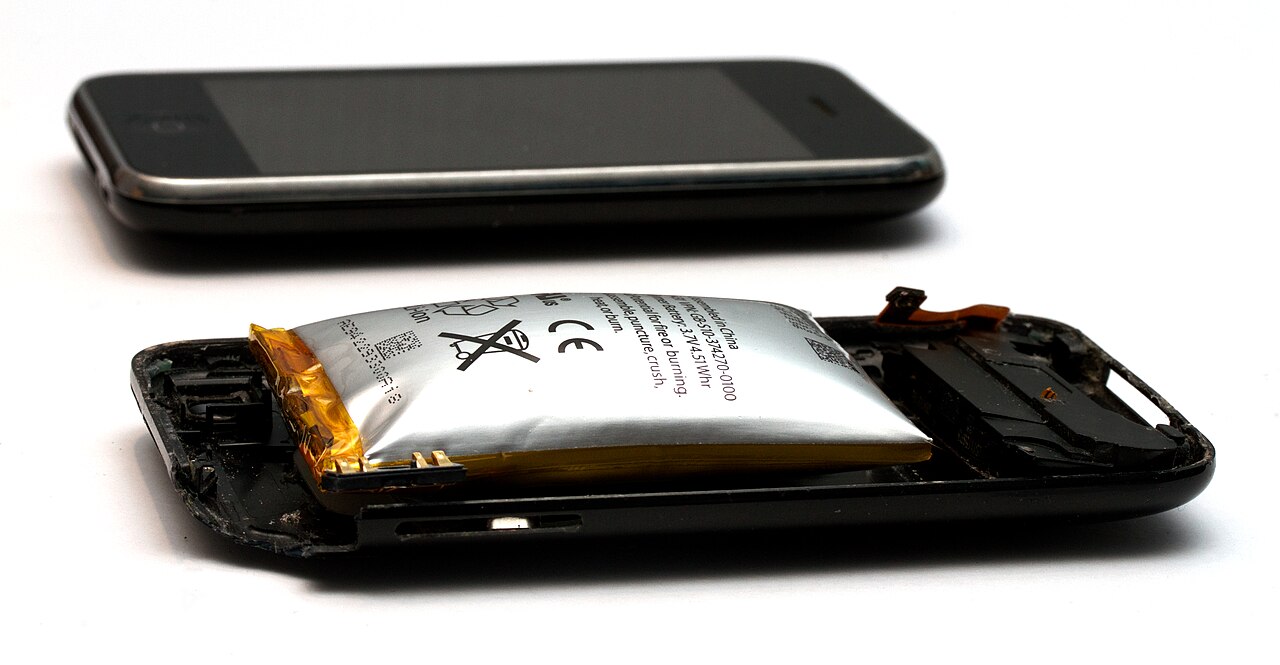
If the casing is bulging, the screen is lifting, the device smells unusual, or it is overheating, do not try to force a backup. Stop using and charging it, then have a technician inspect it. If your phone has recently been exposed to liquid, do not turn it on or connect it to a charger or computer just to retrieve data. Safety must come first.
Back up through your account and make local copies
On Android, open your account’s backup settings and check which types of data are included. On an iPhone, check the iCloud backup settings. Menu names may vary by system version. Connect to a stable internet connection, make sure there is enough storage space at the destination, and run the backup if the device is safe to use. Do not assume that all photos or apps are automatically included.
For photos and videos, open the photo storage app you use and make sure uploading has finished. Contacts also need checking: contacts stored only on the device may not have synced to your account. Also check the Downloads folder, voice recordings, document scans, and locally stored notes.
If you have a personal computer available, copy important files using a suitable cable and a connection recognized by the device. For an iPhone, a computer backup made through the appropriate device management application can provide an additional option. If you choose an encrypted backup, keep its password safe because you will need it to restore that backup.
Check conversations and account access
Messaging apps often have their own settings for backing up conversations. Open the backup menu in each app, check the destination account, and look at the time of the last backup. Make sure any media you need is included according to the available options. Do not assume that a system backup includes your entire conversation history.
Also pay attention to authenticator apps, password managers, and financial apps. Some require a transfer or reactivation procedure when a device is replaced or reset. Follow the app’s official instructions, prepare the available recovery methods, and store recovery codes somewhere safe outside your phone. Do not give account passwords, verification codes, or recovery codes to anyone else.
Make sure your backups are usable before repairs
A completed upload or copy is not enough to confirm that a backup works. Open a few photos and documents from the backup location using your own computer or another device you own. Check the backup date, the presence of important contacts, and your latest files. Synchronization is not always the same as a separate backup; deleting something on one device may also delete it from synchronized storage.
Before handing over your phone, remove the SIM card and memory card if they are not needed for inspection. Explain that the data needs to be preserved, and ask to be consulted before any action that could erase it. Do not perform a reset just to try to fix a problem before checking your backups.
If your phone will no longer turn on, the screen cannot be used, or attempts to connect to a computer keep failing, stop repeated attempts. Take it to a technician and explain that the priority is an assessment that takes data recovery into account. The chances of recovery depend on the type of damage and the condition of the storage, so results cannot be guaranteed.