A general guide to phone care and repair. For hardware damage, have your phone checked by a trusted technician.
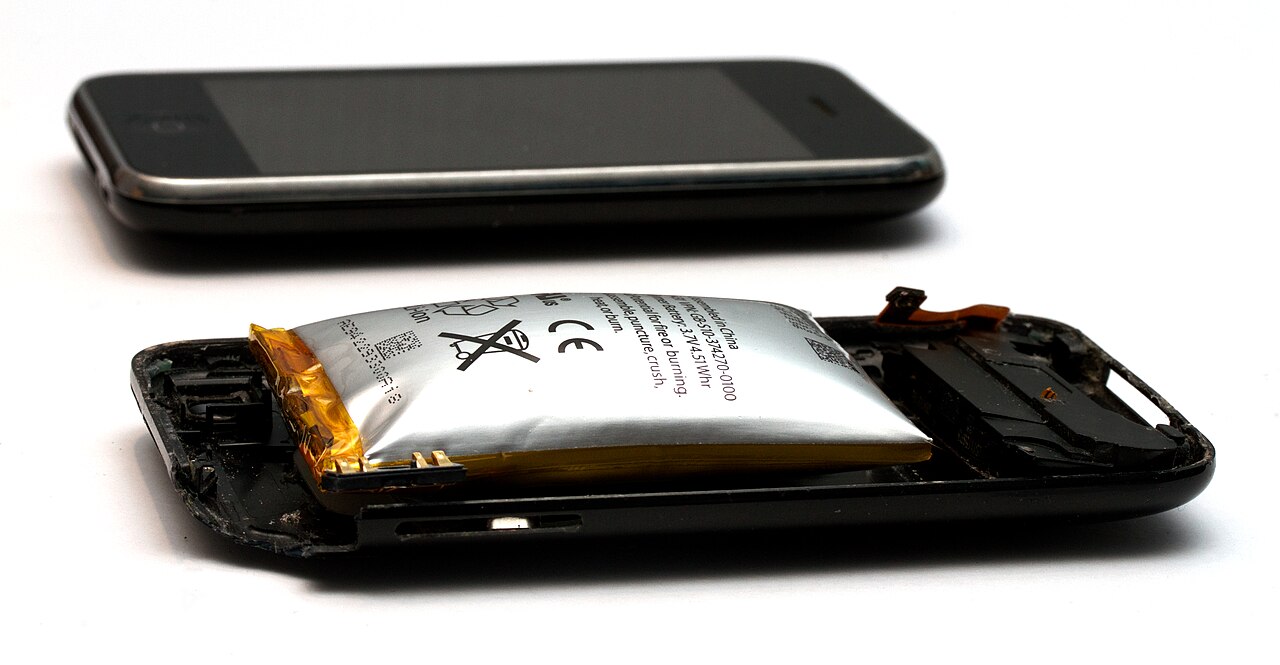
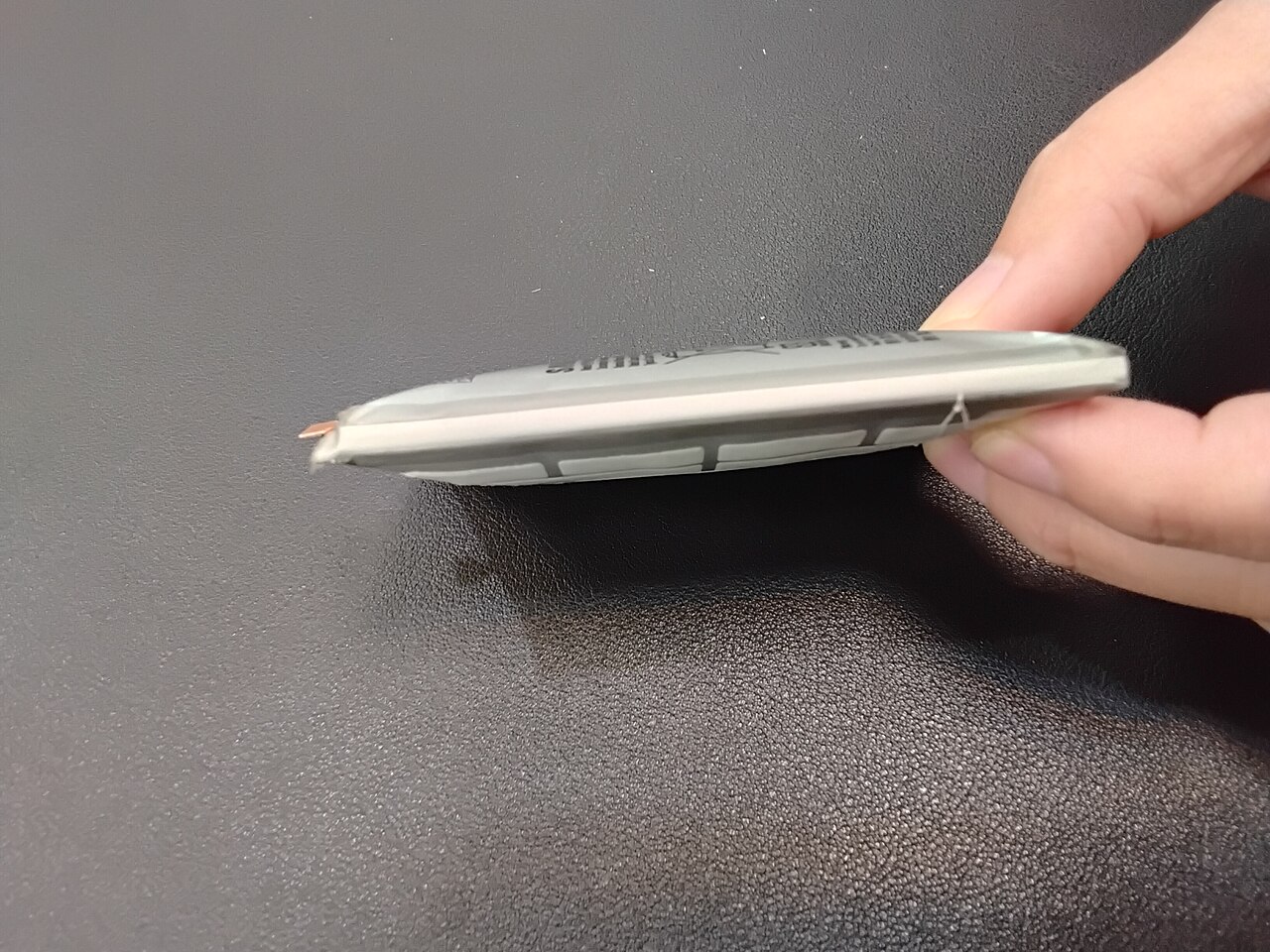
A swollen battery is more than a change in a phone’s shape. Pressure from inside can damage the screen and other components, while a damaged battery risks overheating, catching fire, or releasing hazardous gases. When assessing a phone for repair, a change in its shape is a reason to stop using it first, not to try to force the gaps closed.
Recognize physical changes and accompanying symptoms
Easy-to-spot signs include a screen lifting away from the frame, a bulging back cover, or widening gaps along the phone’s seams. Buttons may also feel different as components shift out of position. Simply inspect the outside without pressing, bending, or trying to push raised parts back into place. Do not deliberately shake or press the phone to test whether the battery has expanded.
Rapid battery drain, sudden shutdowns, and unusual heat can accompany battery damage, but these symptoms do not prove that the battery is swollen. A lifting screen can also be related to adhesive or frame damage. A technician needs to determine the cause. However, if the phone’s shape changes, treat the device as potentially hazardous until it has been inspected, even if it still turns on and works normally.
Why batteries can swell
Phone batteries can swell when chemical reactions generate gas inside damaged or deteriorating cells. Aging, exposure to excessive heat, impacts, and charging system faults are factors that need to be checked. Habits such as leaving a phone in a hot vehicle or using it when it is already running hot should also be avoided.
The exact cause cannot be determined from appearance or charging habits alone. A technician needs to inspect the device and related components. Most importantly, a battery that has already swollen cannot be restored with an app, calibration, draining its charge, or cooling it in a refrigerator. Puncturing a battery to deflate it is extremely dangerous because it can trigger a fire and release hazardous substances.
Safe steps you can take
Stop using the phone immediately and do not charge it again, including wirelessly. If it is connected to power, disconnect the power at the wall outlet first if it is safe to do so. Turn the phone off normally only if it is not excessively hot, is not smoking, and can be operated without pressing on the swollen area. Do not turn it back on just to back up data.
If the device is still cool, is not leaking, and can be moved safely, gently place it on a stable, nonflammable surface away from paper, fabric, sunlight, children, and pets. Do not force it into a case, clamp it, put weight on it, glue it, or wrap it to hold the body closed. Do not disassemble the phone, remove the battery yourself, submerge it, or store it in an airtight container.
When to contact a technician or seek emergency help
Suspecting a swollen battery is reason enough to contact a technician promptly, without waiting for the phone to stop working completely. Describe the change in shape and ask for instructions on handing over the device before taking it in. Do not send it through a regular delivery service without first checking the rules for handling damaged batteries. An inspection is needed to determine whether the battery needs replacing and assess whether the screen, frame, or charging components have also been affected.
If you notice smoke, a strong odor, hissing, rapidly increasing heat, or flames, do not touch or move the device. Move away from the area, avoid breathing in smoke, alert people nearby, and call the fire department or local emergency services from a safe location. Damaged batteries must not be disposed of with household waste; ask a technician or an electronic waste handler for guidance on battery disposal.