A general guide to phone care and repair. For hardware damage, have your phone checked by a trusted technician.
A battery that drains quickly does not always mean the battery is faulty. When the cellular signal is weak or the connection repeatedly drops, a phone needs more energy to maintain communication with the network. When investigating this kind of problem, consider the relationship between location, signal quality, and power consumption before concluding that a component is damaged.
Recognize patterns of signal-related battery drain
One easily recognizable sign is that the battery drains faster in basements, elevators, rooms with thick walls, or areas with limited network coverage. The signal indicator may show a weak or fluctuating signal, or occasionally indicate no service. Dropped calls and sluggish internet access are also clues that the cellular connection is having problems.
Notice whether battery consumption returns to a more normal level after moving to a location with good reception. If your phone feels warm while accessing the internet in an area with poor reception, give it a break from demanding tasks. However, the signal indicator alone is not enough to determine the cause. Screen brightness, navigation, background apps, and battery condition also affect power consumption.
Why a weak connection drains power
Phones use a modem and radio circuitry to communicate with the carrier’s network. When reception is poor, the device has to work to maintain its connection, including adjusting its transmission power to suit network conditions. Searching for a network after losing service and retransmitting data that failed to send also increase energy use.
The impact is more noticeable during ongoing data activity, such as video calls, photo uploads, online backups, or navigation while traveling. On phones with two active SIM cards, both cellular lines still require connection management. If one repeatedly loses service, temporarily disabling the SIM you do not need helps reduce network-search activity.
Safe steps you can try yourself
Move somewhere with better reception, such as near a window, without placing your phone in direct sunlight. Postpone large downloads and backups until the connection is stable. Use a trusted Wi-Fi network if one is available. Keep in mind that connecting to Wi-Fi does not automatically stop your phone from searching for a cellular network, because cellular calling and messaging services remain active.
If you do not need cellular calls or messages for a while, turn on airplane mode, then turn Wi-Fi back on if needed. While airplane mode is active, calls and SMS messages over the cellular network are unavailable. If you still need to be reachable through the cellular network, use power-saving mode and reduce demanding activities. On devices that offer network options, try selecting a network that is more stable in your location through the built-in settings.
Open the battery settings to see which apps use the most power, then compare consumption patterns in different locations while performing similar activities. Restart your phone if the connection appears stuck. Install system updates through the official menu when the connection is stable and the battery has enough charge. Avoid signal-booster apps that request irrelevant permissions; an app cannot replace your carrier’s network coverage.
When to have a technician check your phone
Take your phone to a technician if the signal remains poor in various locations that normally have good reception, especially after the phone has been dropped or exposed to liquid. Problems with the SIM card and the carrier’s service also need to be ruled out before concluding that the antenna or radio circuitry is damaged. Do not disassemble the phone or try to repair the antenna yourself.
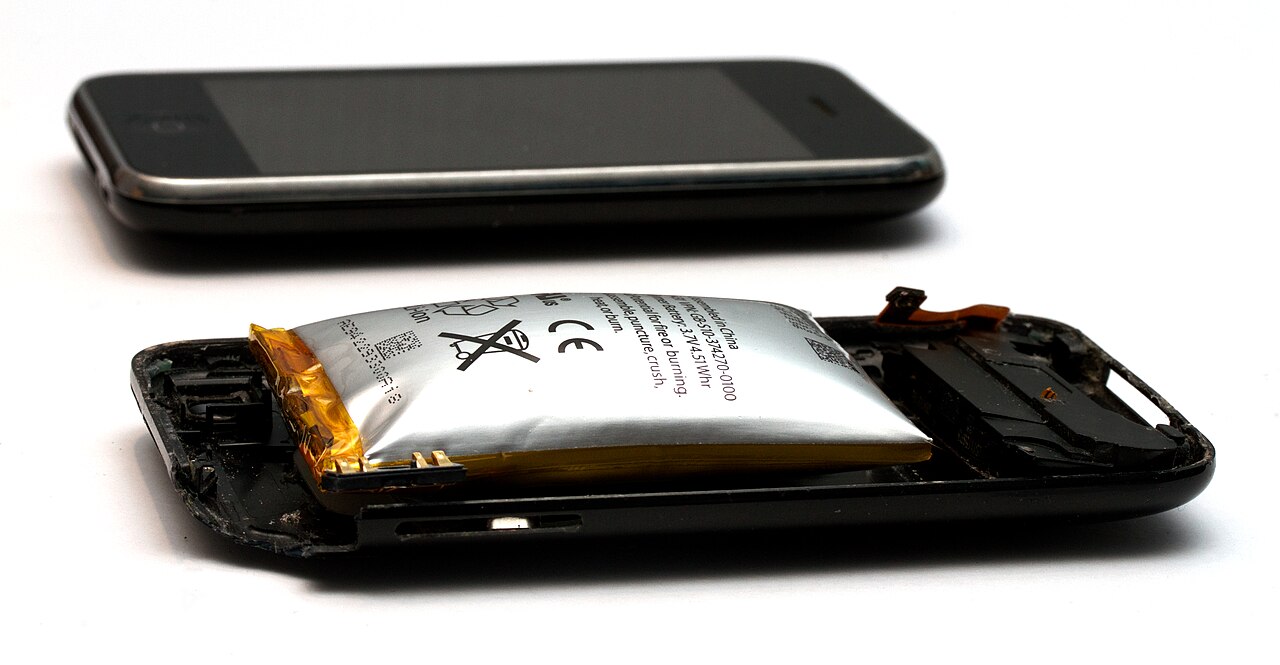
An inspection is also needed if the battery still drains quickly with a stable connection, the phone frequently shuts down unexpectedly, or it overheats even without heavy use. If the casing is lifting or the battery appears swollen, stop using and charging the phone. Do not press the casing back into place. Back up important data regularly while the device is still safe to use.